Back to Operations settings5 min read
Transactional email, custom domains, and site branding
Configure SMTP delivery and readiness checks, manage 28 email scenarios with 5-language dark-mode templates, bind global/organization/team custom domains with cross-domain relay sign-in, and customize site branding and legal pages.
CCHP centralizes email delivery, custom domain routing, cross-domain relay sign-in, and public branding across three tabs under Administration → System Management: Transactional email (/admin/mail), Domains (/admin/domains), and Site (/admin/site).
Transactional email setup and readiness checks#
Open Administration → System Management → Transactional email (/admin/mail). The top of the page runs automatic delivery readiness checks for the active Effective scope (Global or a specific Organization): if the SMTP host, sender address, or public site address is missing, it lists each missing requirement with a direct fix link. A quick Audit Logs link on the right opens delivery records pre-filtered by mail.delivery.
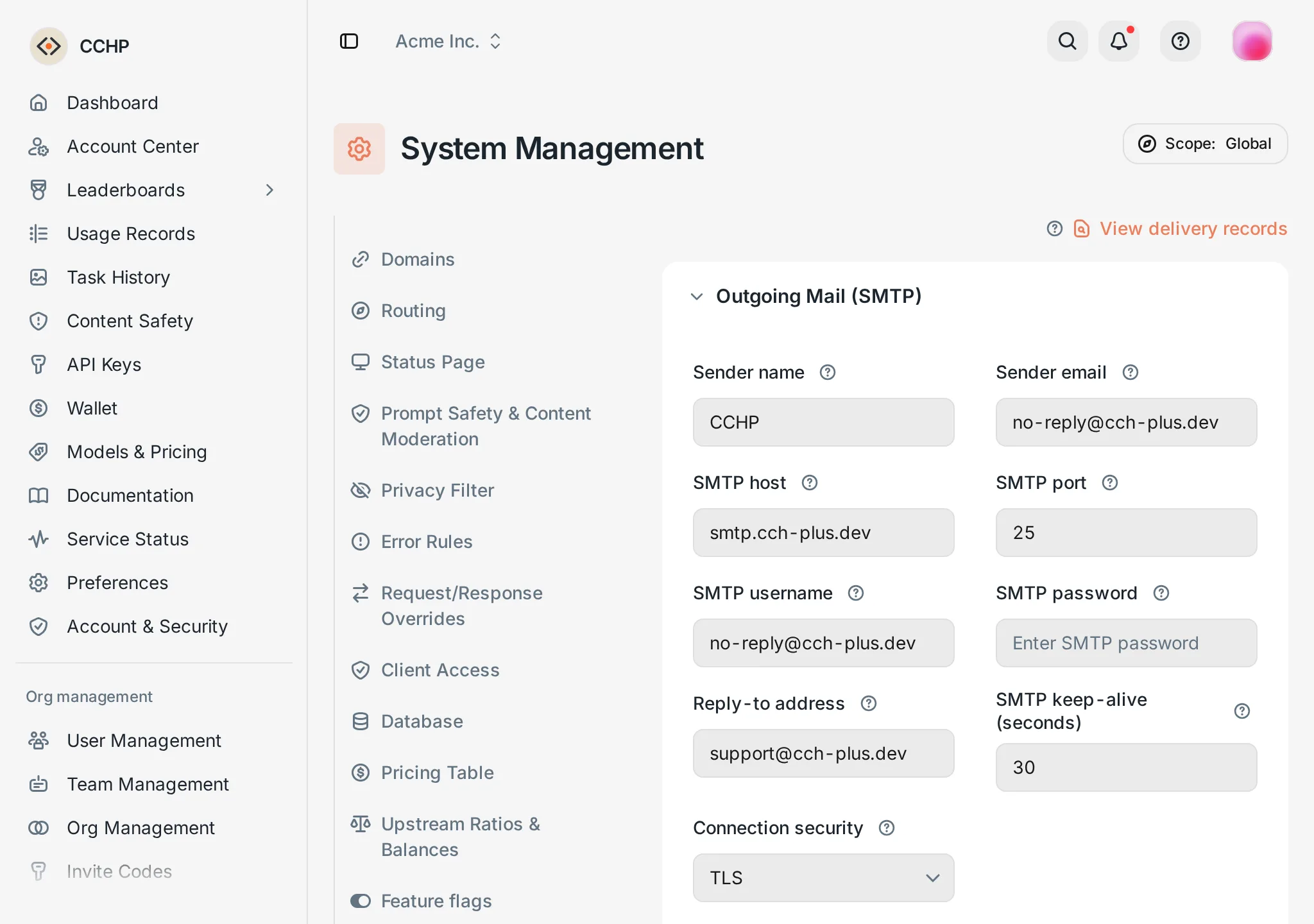 Transactional email: readiness banners, SMTP server settings, and test email
 CCHP
SMTP settings and test delivery#
- Connection settings: Enter the SMTP host, port, encryption mode (
STARTTLS/SSL/TLS/ plaintext), username, password (masked after saving), sender email, and sender name. - Per-organization overrides: Configure a shared platform mail server under Global by default. To give a white-label organization its own sending domain, switch Effective scope in the header to that organization and save an override; click Restore inherited at any time to fall back to Global.
- Send test email: In the Global scope, enter a recipient address to send a live test message and inspect connection and delivery results immediately.
Email scenario toggles and 5-language dark-mode templates v1.0.11+#
Below SMTP settings, all transactional and alert emails are organized into 7 business groups. Every scenario supports an independent toggle, inline template editing, and live sample previews:
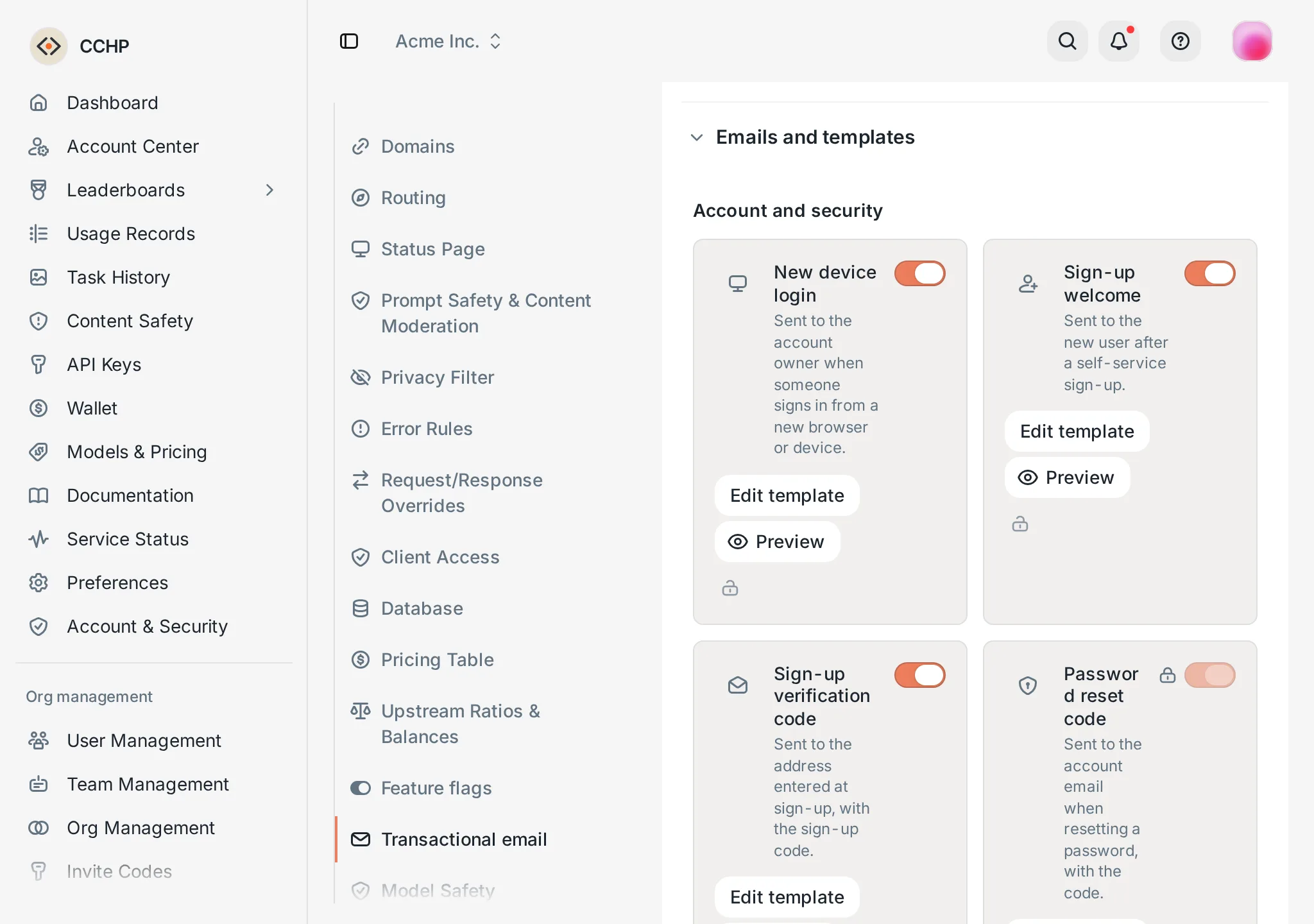 Transactional email scenarios: grouped toggles, template editor, and 5-language dark-mode previewCCHP
- Lockout protection: Sign-in verification, password reset, email change verification, and test email toggles are always locked on. When public registration is open, the sign-up verification code toggle is locked on as well.
- Built-in 5-language dark-mode templates v1.0.12+: Every template ships in
en-US,zh-CN,zh-TW,ja-JP, andru-RUwith light and dark email-client styling. Click Edit template on any scenario to customize the subject and body with template variables (clear the fields to reset to built-in defaults), or click Preview to render with sample data and send a sample test email from the Global scope.
Unified custom domains and cross-domain relay sign-in v1.0.15+#
Open Administration → System Management → Domains (/admin/domains) to manage console and gateway hostnames for Global, Organization, and Team scopes in a single registry:
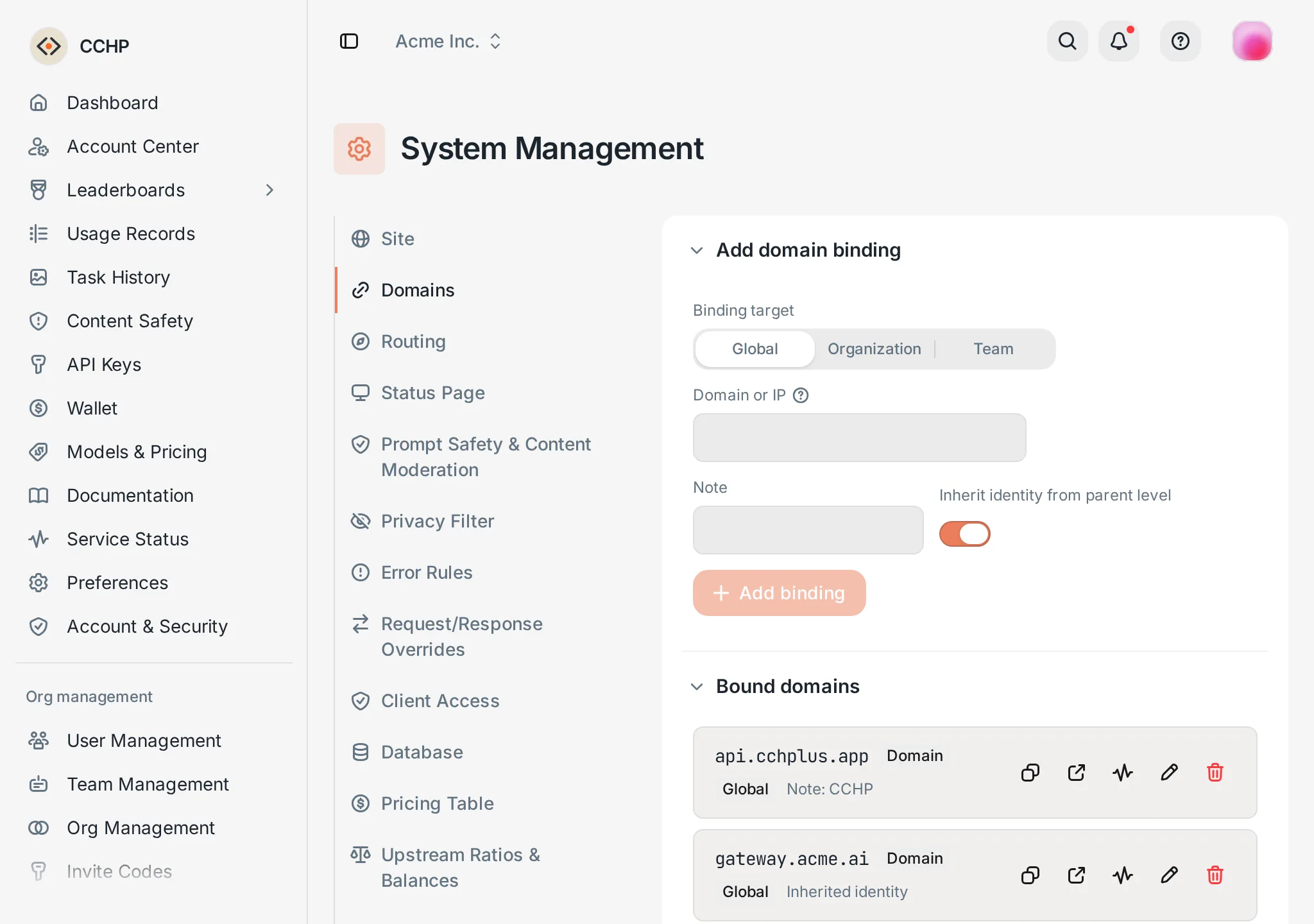 Domains: Global, Organization, and Team custom domain list with reachability checksCCHP
Bind a custom domain#
- In the top bar, choose the binding scope (Global / Organization / Team) and pick the specific organization or team when applicable.
- Enter the domain name (with DNS and an HTTPS reverse proxy already pointing to this CCHP instance) and add it to take effect.
- Each entry lets you copy the URL, run an online reachability probe, edit, or delete. Entering a LAN or private hostname prompts an extra confirmation.
Cross-domain relay sign-in v1.0.15+#
When a single deployment binds multiple domains—such as a main platform domain alongside white-label domains for organizations or teams—signed-in users see an Open on <target-domain> action in the top-right user menu:
- Clicking it uses a short-lived one-time transfer token (
/_auth/session-transfer) to hand off the active session to the target domain without re-entering a password or completing two-step verification again. - Relay transfers strictly validate that the destination hostname is registered in Domains, rejecting arbitrary external hosts to prevent open redirects.
Site settings and branding#
Open Administration → System Management → Site (/admin/site) to configure branding and public entry points across Global, Organization, and Team scopes (with downstream override locks):
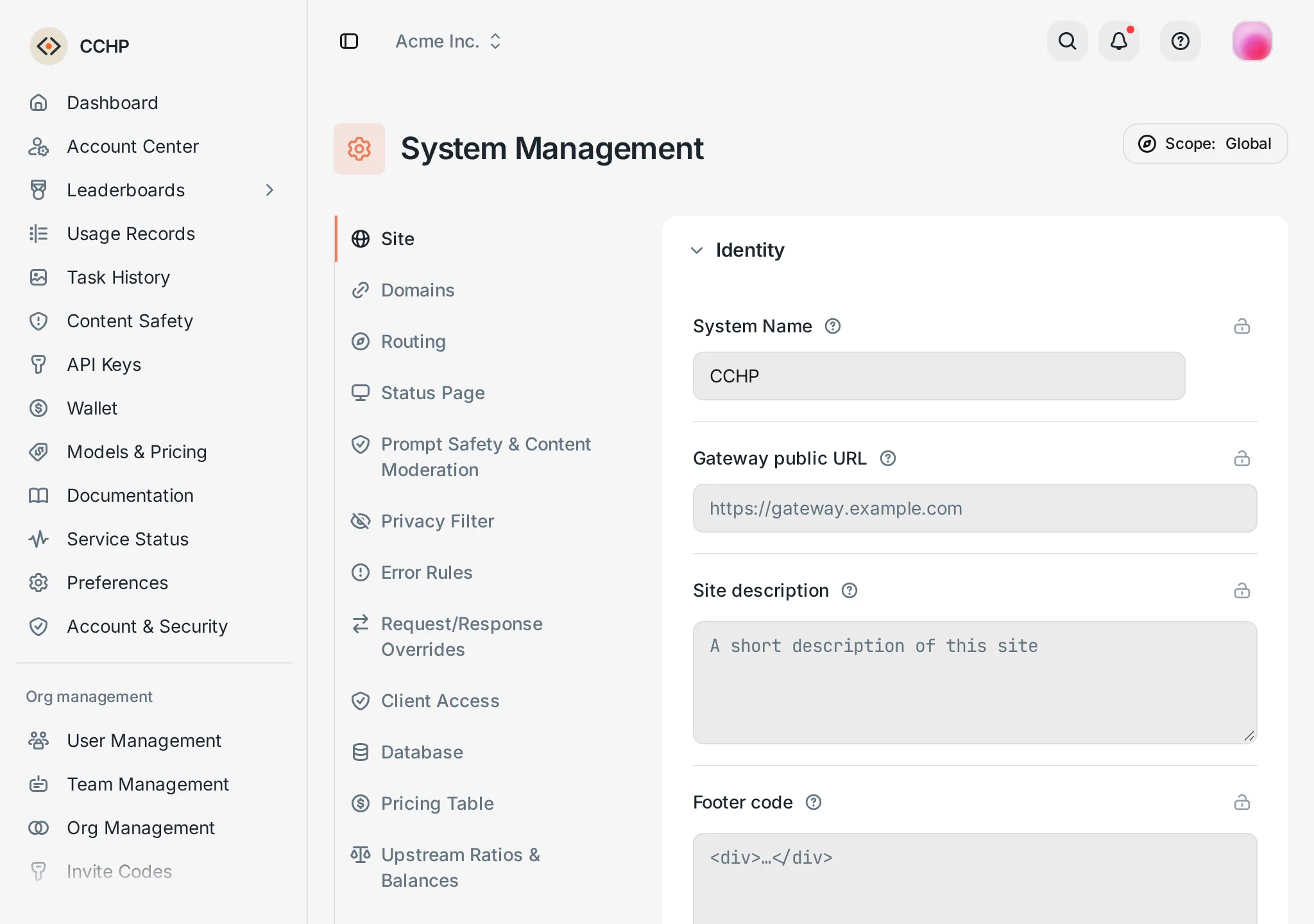 Site settings: brand name, icons, public pages, and default localeCCHP
- Site identity and icons: Customize the site name, brand description, logo, favicon, and primary theme color. The control plane automatically injects them into public
<title>tags, Open Graph metadata, and the PWA Manifest. - Public landing and legal pages: Configure the public homepage mode, rich-text Terms of Service and Privacy Policy pages, and anonymous visibility toggles for public pages such as the model pricing table and status page.
- LLM key prefix v1.0.16+: Embedded directly inside Site under the Global or Organization scope (legacy
/admin/llm-keysredirects here) to configure the prefix used for newly created LLM keys (security.llm_key.prefix). - Custom sidebar and public default language: Jump straight to Customize the sidebar and set the default UI language for anonymous visitors.
Frequently asked questions#
Why are some email scenario toggles grayed out and impossible to turn off?#
Sign-in codes, password reset codes, and email change codes are essential for account verification and recovery, and test email is required for admin verification, so they stay locked on. Likewise, when external registration is enabled platform-wide, sign-up verification codes lock on to block unverified bot sign-ups.
Why didn’t an organization admin’s change to the organization’s site name take effect?#
Check whether a platform super admin enabled a downstream override lock on that field under Global in Site (shown with a lock warning beside the row). Locked fields force child scopes to inherit the parent value until unlocked.