Back to Operations settings4 min read
Plugins, error rules, and model safety
Install and manage extension plugins in System Management, configure custom upstream error matching and failover rules, and run 32 built-in plus custom model safety detection rules to spot model watering or MITM poisoning.
Beyond standard routing and content moderation, Administration → System Management provides three advanced operations and quality-assurance tools: Plugins (/admin/plugins), Error Rules (/admin/errors), and Model Safety (/admin/model-safety). Error Rules and Model Safety are gated by Feature flags and are off by default on fresh installations v1.0.12+.
Plugins#
Open Administration → System Management → Plugins (/admin/plugins) to install, configure, and monitor extension plugins by scope:
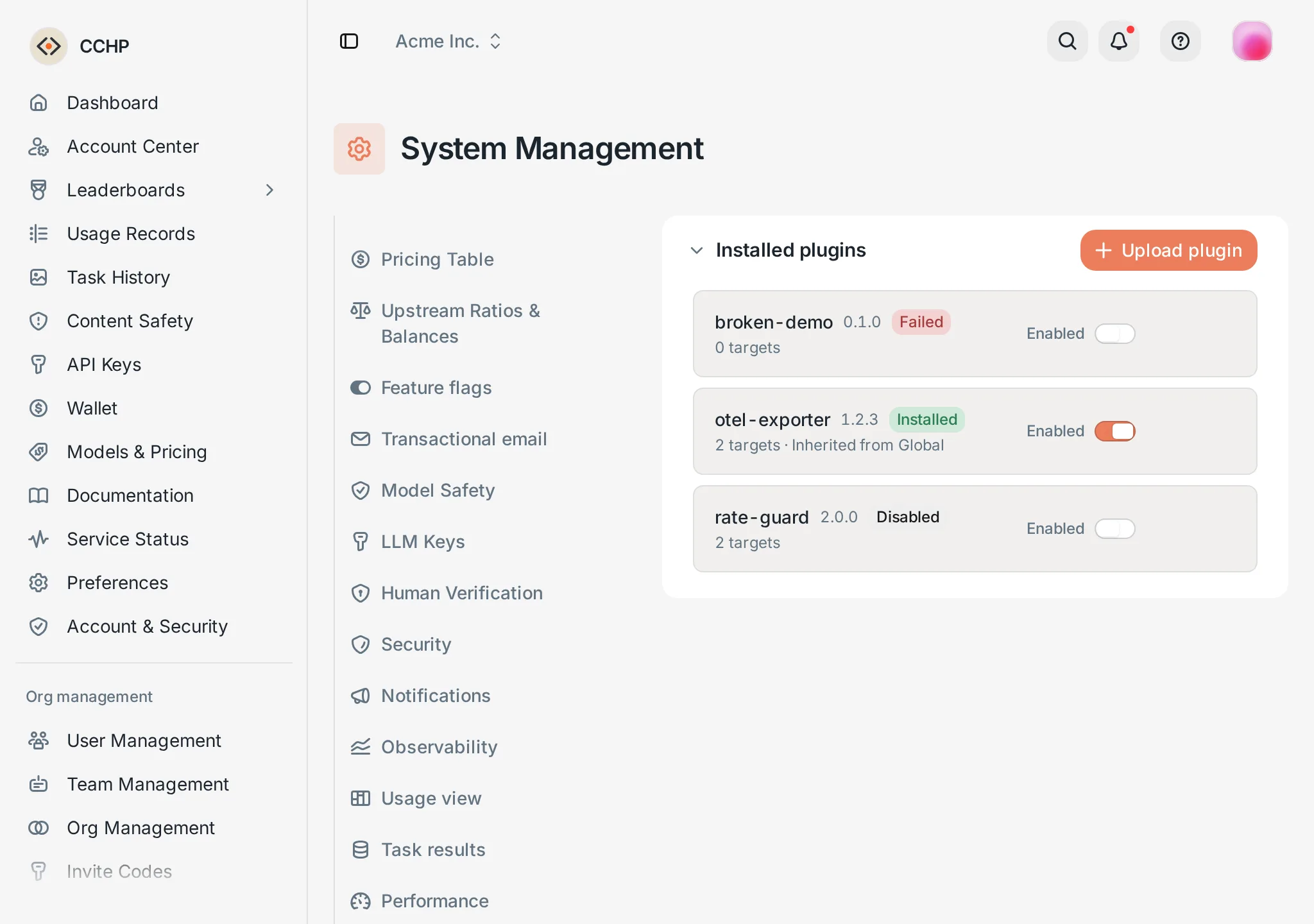 Plugins: installed plugins list, status, and enable toggles
 CCHP
- Platform read-only view vs. organization actions v1.0.10+: When the top bar is in the All organizations context, the list displays a read-only rollup of plugins installed across every organization along with each plugin’s owner. To upload a new plugin, toggle enablement, change plugin settings, or uninstall, switch the top bar to the target organization first.
- Two-step manifest review before install: Click Upload plugin and drop a plugin bundle. CCHP parses the manifest first and displays a full review screen—plugin name, description, author, version, build timestamp, SHA-256 hash, requested permissions, registered hooks/override targets, and declared settings—before you confirm installation.
- Inline toggle and detail drawer: Each row includes an always-visible enable toggle (with scope inheritance) and a Settings action. Click the plugin name or Settings to open the detail drawer for plugin parameters, upstream credential bindings, registered targets, runtime logs, and metrics.
Custom error rules#
First turn on Error rules (feature.error_rules) under Administration → System Management → Advanced Settings → Feature flags v1.0.12+, then open Administration → System Management → Error Rules (/admin/errors):
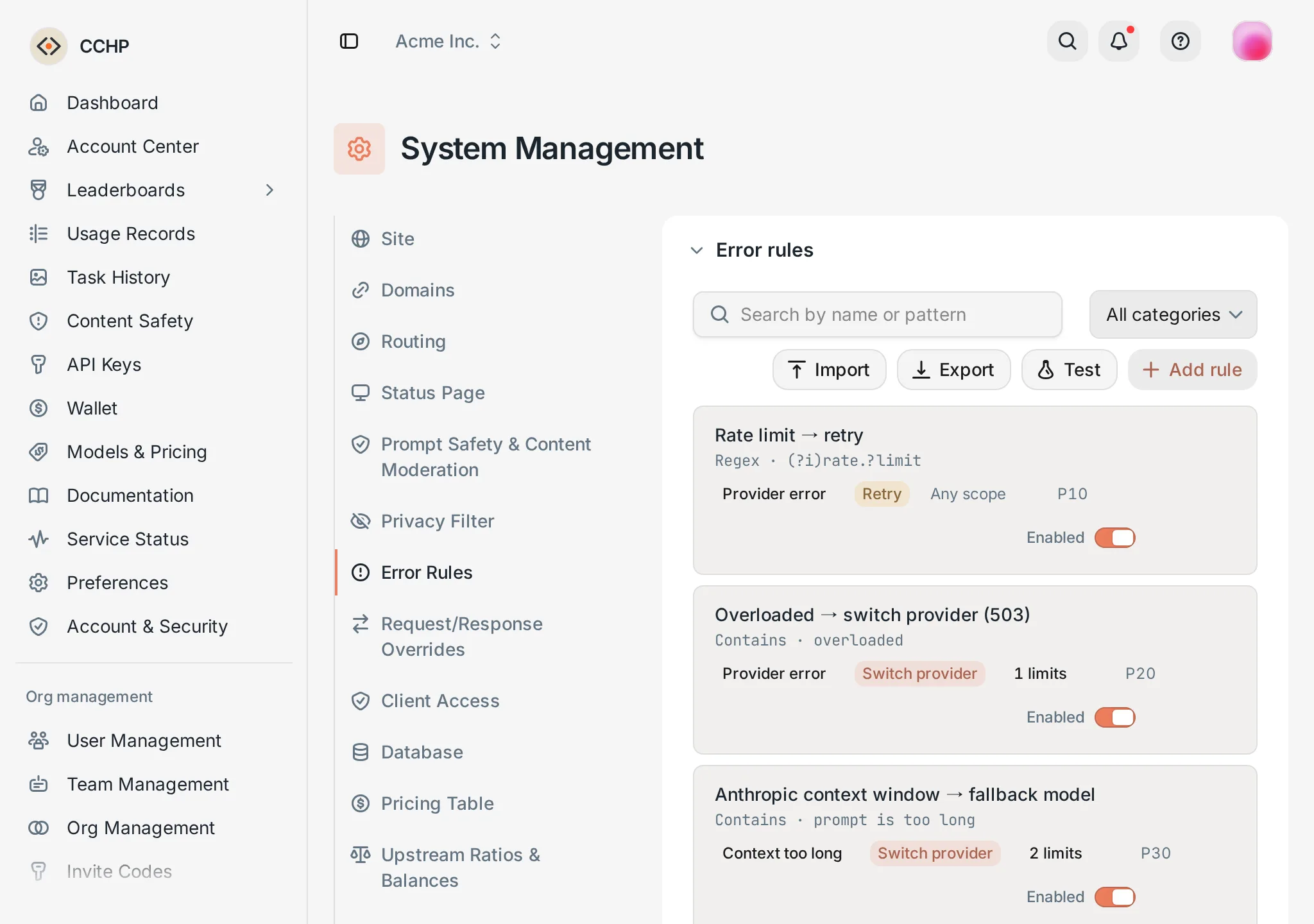 Error Rules: priority-ordered upstream error match list, action badges, and tester toolbarCCHP
Error rules map non-standard upstream HTTP status codes or error payloads into consistent gateway routing decisions:
- Ownership and evaluation order: Platform super admins maintain global rules that apply across all organizations, while organization admins maintain organization-specific rules. Rules are evaluated in ascending Priority order; the first matching enabled rule wins.
- Match conditions and actions: Match upstream error text with Regex or Contains, scoped by error category, status code, or target level. Actions include Retry (same key/endpoint), Switch provider (immediate failover to the next candidate or fallback model), putting the key into cooldown, or rewriting a standardized error message back to the client.
- Instant effect, tester, and import/export: Creating, editing, toggling, or deleting rules takes effect immediately. Click Test in the toolbar to paste a raw upstream status code and error body and verify which rule matches using the exact gateway engine. Use Import and Export to migrate rule sets in bulk as JSON.
Model safety checks (watering and poisoning detection)#
First turn on Model safety (feature.model_safety) under Administration → System Management → Advanced Settings → Feature flags v1.0.12+, then open Administration → System Management → Model Safety (/admin/model-safety). This module probes upstream providers on demand or on a schedule to verify that returned models match their advertised identity and detect relay tampering such as model downgrading (“watering”) or altered system prompts (“MITM poisoning”):
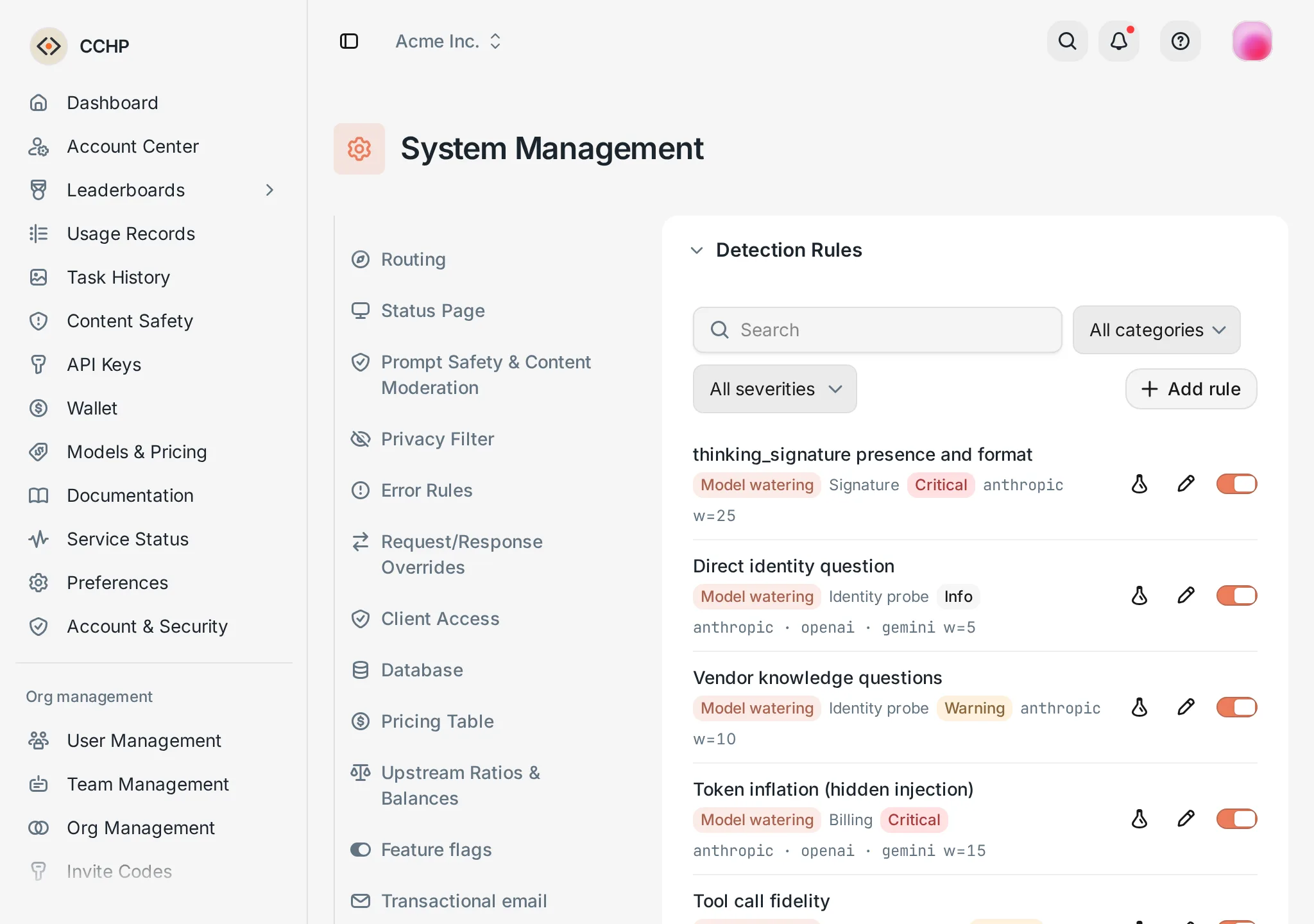 Model Safety: 32 built-in watering and poisoning detection rules, severities, and quick test actionsCCHP
Detection rules catalog (32 built-in + custom)#
- Built-in library: Ships with 32 ready-to-use detection rules—18 for Model watering and 14 for MITM poisoning—covering
thinking_signaturepresence and format checks, direct identity probes, vendor knowledge probes, token inflation checks, and tool-call fidelity. Each rule carries a category, weight, severity (info / warn / critical), and applicable protocol families (anthropic,openai,gemini). - Staged toggles and custom rules: Enable/disable changes are staged and applied in bulk with confirmation at the bottom. Click any rule to edit its request template and evaluation criteria (built-in rules support one-click reset to factory defaults), or click Add rule to create your own probe.
Test Console and scheduled check tasks#
- Test Console: In the mid-page Test Console (or click the flask icon on any rule row to load it directly), select a provider key, endpoint, and model to run a single rule live and inspect both the raw upstream response and the verdict.
- Scheduled check tasks: In the Test tasks section at the bottom, combine multiple rules with target providers/models on a Cron schedule for background Worker checks. Every scheduled task mirrors into Cron Jobs (
/admin/cron), where you can review past reports or trigger manual runs.
Frequently asked questions#
Why can’t I find the “Error Rules” or “Model Safety” tab in System Management?#
Both capabilities are default-off Beta feature flags. Go to Administration → System Management → Advanced Settings → Feature flags, enable feature.error_rules or feature.model_safety, and wait up to 5 seconds for the tabs to appear in the left navigation.
How do custom Error Rules differ from Request/Response Overrides?#
Request and response overrides rewrite headers, model names, paths, request bodies, and normal responses. Error Rules specifically classify upstream failure responses and decide gateway recovery behavior—whether to retry in place, switch providers, cool down the key, or surface a rewritten error to the client.